
Describe your training.
AI builds the module.
One prompt, your existing documents if you have any, and Complement generates the complete module: chapters, slides, scripts and quizzes. You review, you publish.
Automatic generation in one minute
From your resources to your
published module
Your PowerPoint, PDF and Word files are still the starting point. It’s your call: AI designs the module for you, or you build it slide by slide.
Describe your module
Tell the AI what you want: the topic, the audience, the tone, the level. Choose the language of the module, and the number of slides or automatic slides.
Add your resources optional
Your old material still has value: drop in your PDF, Word, PowerPoint or Excel files. The AI uses them as raw material to build a module faithful to your content, not a generic course. Your old SCORM packages too: the AI reuses their content. Video import is coming soon.
AI designs the module
In minutes, Complement produces the full structure: the chapters, the slides and their visuals, the script for every slide, the interaction questions, the end-of-chapter quizzes and the polls. You can leave the page — you'll be notified when it's ready.
Review, adjust, publish
Everything can be edited: a script to reword, a slide to replace, a question to add. The “Edit with AI” button reworks a slide from a single instruction. Then manage access (link, LMS, SSO), set a deadline and switch on automatic reminders.
Track and improve
Once your module is live, follow the exchanges between your learners and the avatar in real time. Spot misunderstood concepts, recurring questions and sticking points. And if a chapter deserves more depth, regenerate it with AI in minutes.
Prepare your content
Your existing PowerPoint, Keynote or Google Slides become the foundation of your module. Export them as PDF — that is all you need.
Create your module
Give your module a name, fill in the author and write a description. That is it — your module is created in seconds. Each learner will choose their own avatar at the start of the training.
Import your slides and images
Import your PDF — each page automatically becomes a slide. You can also add images directly as additional slides. Select all pages or only the ones you need.
Add your resources
Enrich your module with supplementary web pages and PDFs. Enable RAG (Retrieval Augmented Generation) so the avatar only responds from your sources — zero hallucinations.
Content & interactions
For each slide, dictate or type the key points to present — this is the avatar's content base, not a word-for-word script. The avatar takes it and adapts it to each learner in real time, in its own way. Add interaction questions to engage learners and check understanding.
Chapters & assessments
Organise your content into chapters. Create oral assessments that go far beyond simple MCQs: open questions, practical exercises, case studies, synthesis, deep comprehension… The most advanced assessment formats on the market, asked and marked by the avatar in real time. AI can automatically generate additional questions.
Publish and Deploy
Manage access (direct link, LMS, SSO), set a completion deadline and enable automatic email reminders for your learners. Complement ensures everyone completes the module before the deadline — without any manual follow-up from you.
Dashboard & continuous improvement
Once your module is deployed, track in real time the exchanges between your learners and the avatar. Identify poorly understood concepts, recurring questions, and sticking points — then go back directly into the module to fix or enrich those sections in a few clicks. The training improves with every cycle, effortlessly.
Not just an authoring tool.
A platform that creates, engages and improves.
Complement combines AI generation, conversational pedagogy and continuous improvement — all in one product.
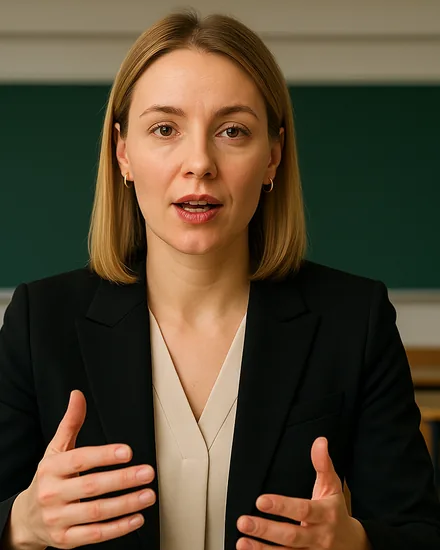
“Can you name a right granted by the GDPR?”
- Off-script question answering
- Oral assessment at the end of each chapter
- Real-time personalisation
- Multiple voices and avatars available
- Full generation from a prompt
- Your PDF, Word and PowerPoint as sources
- AI editing slide by slide
- Manual creation always available
- Most frequently asked questions
- Poorly understood concepts identified
- Exportable quiz responses
- Per-learner individual tracking
Connects to your existing LMS in a few clicks
Complement works via the LTI standard and integrates natively with all major LMS platforms. Your learners access modules directly from their usual platform, with no additional login required.
 360Learning
 Moodle
 Blackboard
 Brightspace
 Docebo
 LearnWorlds
 Canvas
 Apolearn

What other authoring tools
simply cannot do
Storyline, Rise 360, Synthesia… they all create static content, and leave the design work to you. Complement generates the module and makes it conversational in real time.
| Criteria | Articulate Storyline / SCORM | Audiovisual production | Synthesia / HeyGen | Complement IA |
|---|---|---|---|---|
| Full module generation by AI (chapters, scripts, quizzes) | Partial | ✕ | Script only | ✓ |
| Reuses your existing documents (PDF, Word, PowerPoint) | PPT only | ✕ | Partial | ✓ |
| Creation time for 1 hour of content | 20–80h | 50–100h | 3–10h | A few minutes ⚡ |
| Conversational AI avatar | ✕ | ✕ | Static | ✓ |
| Answers questions in real time | ✕ | ✕ | ✕ | ✓ |
| Oral assessment of learners | ✕ | ✕ | ✕ | ✓ |
| Direct PowerPoint import | ✓ | ✕ | Partial | ✓ |
| No authoring tool to learn | ✕ | ✕ | Moderate | ✓ |
| Detailed learner analytics | Basic | ✕ | ✕ | ✓ |
| Average completion rate | 3–7% | 3–7% | 3–7% | 50% 🎯 |
| Production cost for 1h of content | ~5 000€ | ~50 000€ | ~1 000€ | ~100€ 💸 |
Everything you want to know
about the Complement authoring tool
Ready to generate your first module?
Describe your training or drop in your documents, review the generated module, publish. The AI avatar takes it from there with your learners.
7 days free · No credit card · No commitment
 Courses
/
GDPR & data protection
12:04
Claire is speaking…
Courses
/
GDPR & data protection
12:04
Claire is speaking…
 You
Private
You
Private