

Get help
Send a request to the Complement team from the Help and support form or the player's Problem? button, then follow it up by email.
In Getting started
Do you have a question or a problem? Send a request to the Complement team from the app. The team replies by email.
Where to find the form#
The Help and support form is available once you are signed in, from:
- the bottom of the left-hand menu, with Help and support;
- on a smartphone, and on a tablet in the management area, the Support button in the bar at the bottom of the screen;
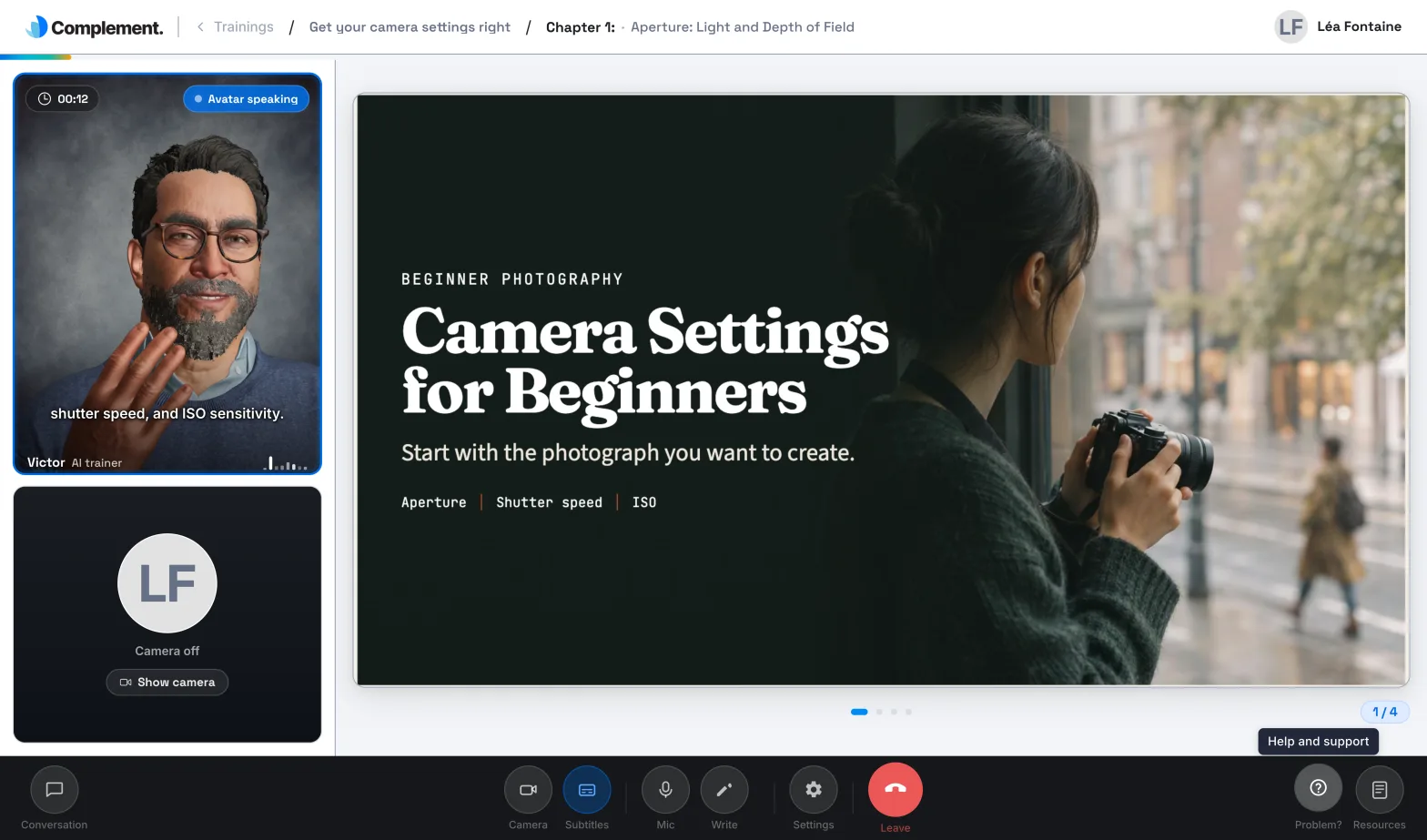
- the course player, with the Problem? button in the control bar. On a smartphone, or on a tablet held upright, first tap the More button, shown as three dots.
The form opens on top of the current screen: you do not leave your course.
Send a request#
- Choose a Category: Product issue, Billing, Product suggestion or General question, which is selected by default.
- Answer Can you still use the platform? with Yes or No. An answer is required.
- In Description, explain your problem or your request.
- If needed, add a screenshot or a document in Optional attachment: click Choose a file. The accepted formats are PNG, JPEG, WebP and PDF. If a file is refused, the app tells you why.
- Click Send request.
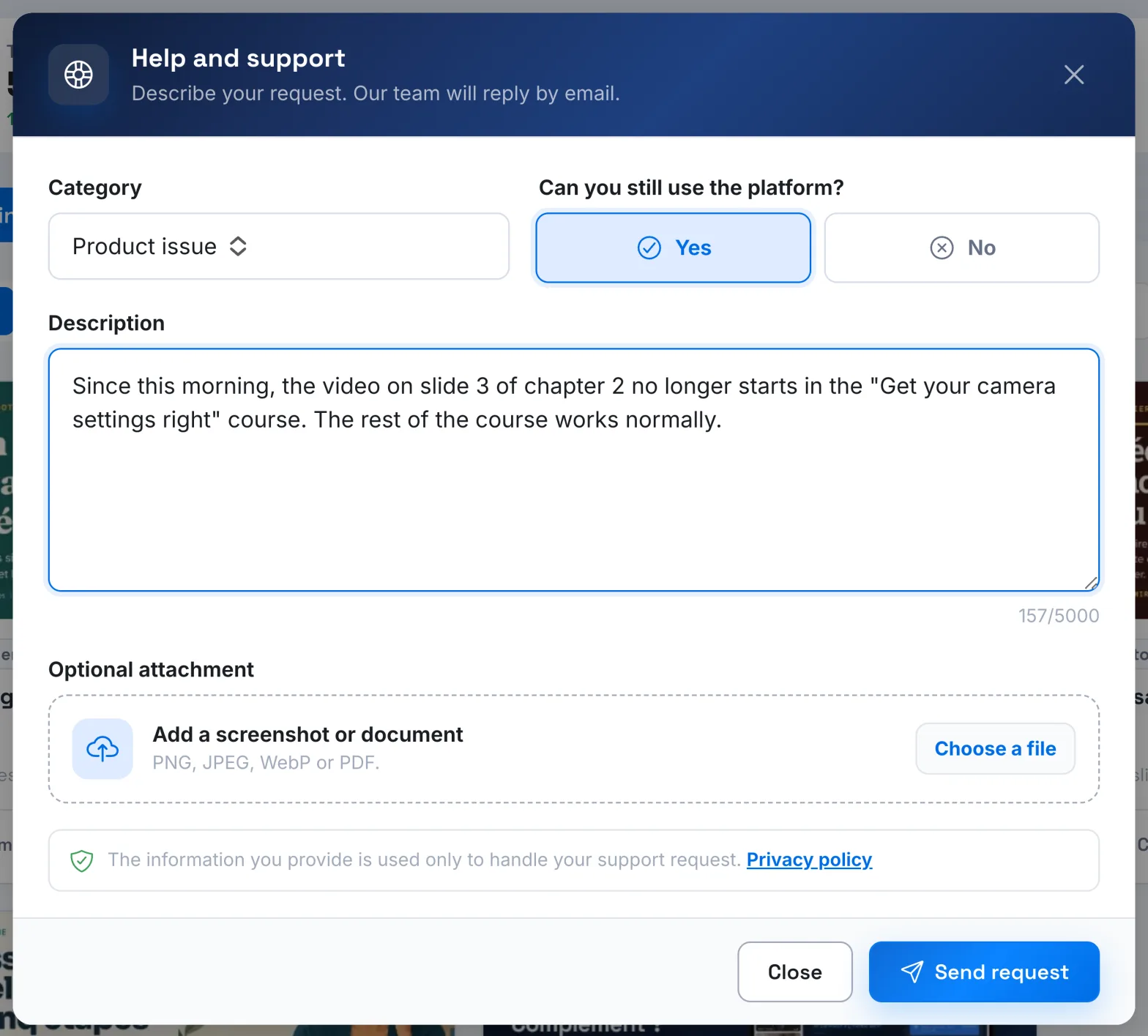
If your account has no email address, the Email address for the reply field appears: enter the address where you want to receive the reply.
Complement automatically attaches to your request the page you were on and information about your browser and device. "The information you provide is used only to handle your support request."
After sending#
The window shows Request sent and the reference of your request. You also receive an acknowledgement email titled "Support request received", preceded by this reference. To add to your request, reply directly to this email.
The Complement team then replies to you by email.
If sending fails, the app shows "The request could not be sent." Try again, or write to support@complementlearning.ai. Likewise, if the attachment or the acknowledgement could not be sent, the app tells you and gives you an email address to write to.
Other contacts#
- You can also write directly to Complement support: support@complementlearning.ai.
- If your organisation has a key account contract, you can also contact your Complement account manager.
- Are you a learner with a question about your access or your courses? Contact your platform's administrator first.
- Cannot sign in? The form is only available once you are signed in: see Sign-in problem.
Was this article helpful?
Thank you for your feedback!
Thank you. Tell us what is missing through Help and support in the app, and we will complete the article.