

Discover Complement
What a conversational course is, how it is organised and what each profile does: learner, course creator, administrator.
In Getting started
Complement is an online training platform. Each course is presented by an AI-driven avatar, which the learner talks to by voice or in writing. This page explains the principle, how a course is organised and what each person does.
A conversational course#
In a traditional e-learning module, the learner reads or watches content. In Complement, they follow a session with an avatar:
- the avatar presents each slide and comments on it;
- the learner asks questions by voice or in writing. The AI tutor, which drives the avatar, answers them using the course content and the resources added by the course creator;
- as the slides go by, the avatar asks questions to make the learner think or to gather their opinion;
- at the end of each chapter, a quiz checks what the learner has remembered.
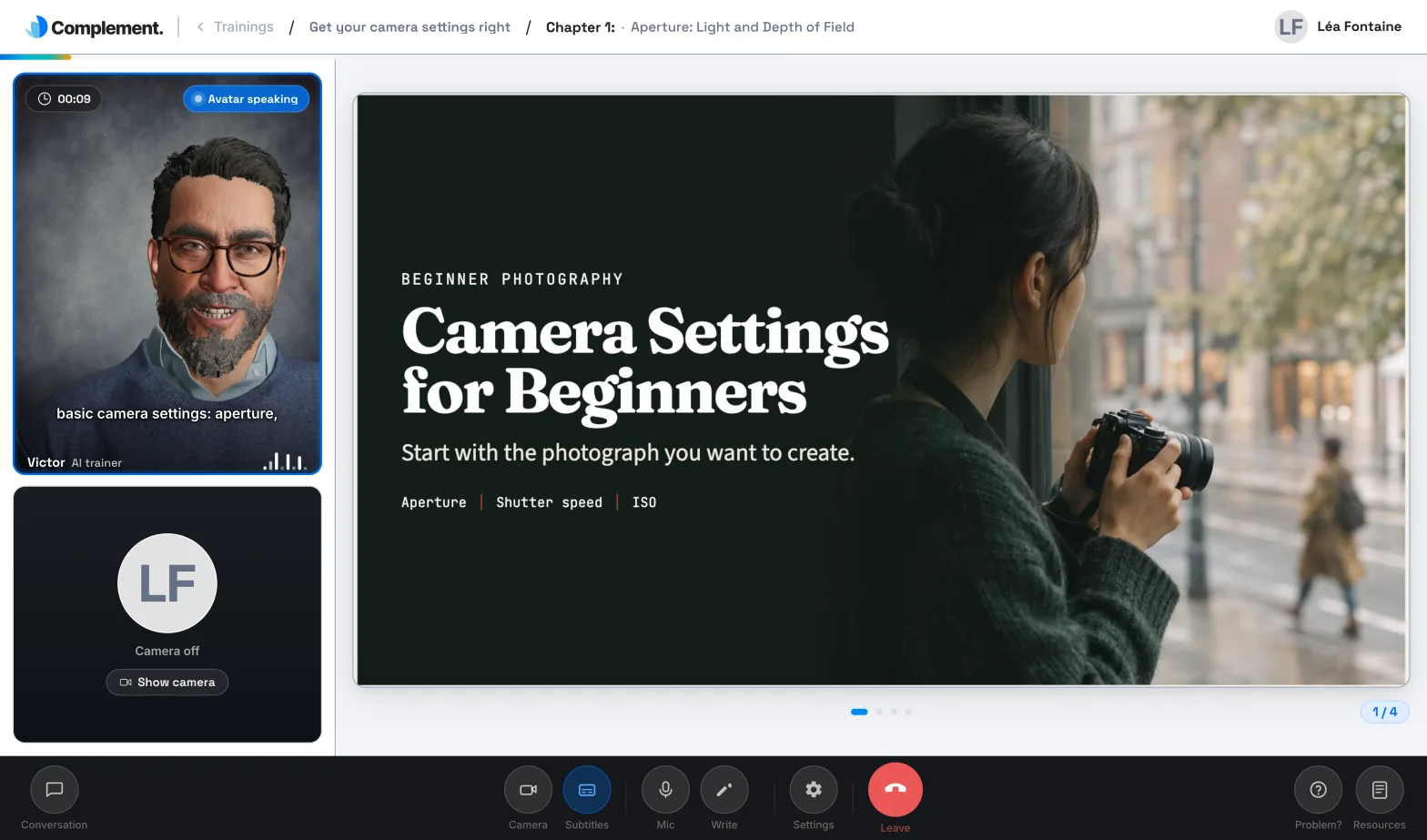
Each learner chooses their avatar, their voice and the language of the conversation. Complement works in the browser, on a computer as well as on a tablet or smartphone.
How a course is organised#
A course is divided into chapters. Each chapter contains:
- slides. A slide combines a visual and the script the avatar says. It can also be a video or a survey question, and it can carry an interaction question;
- an end-of-chapter quiz, made up of open questions or multiple-choice questions.
The course creator sets a passing threshold for the course: a quiz is passed when the learner reaches it.
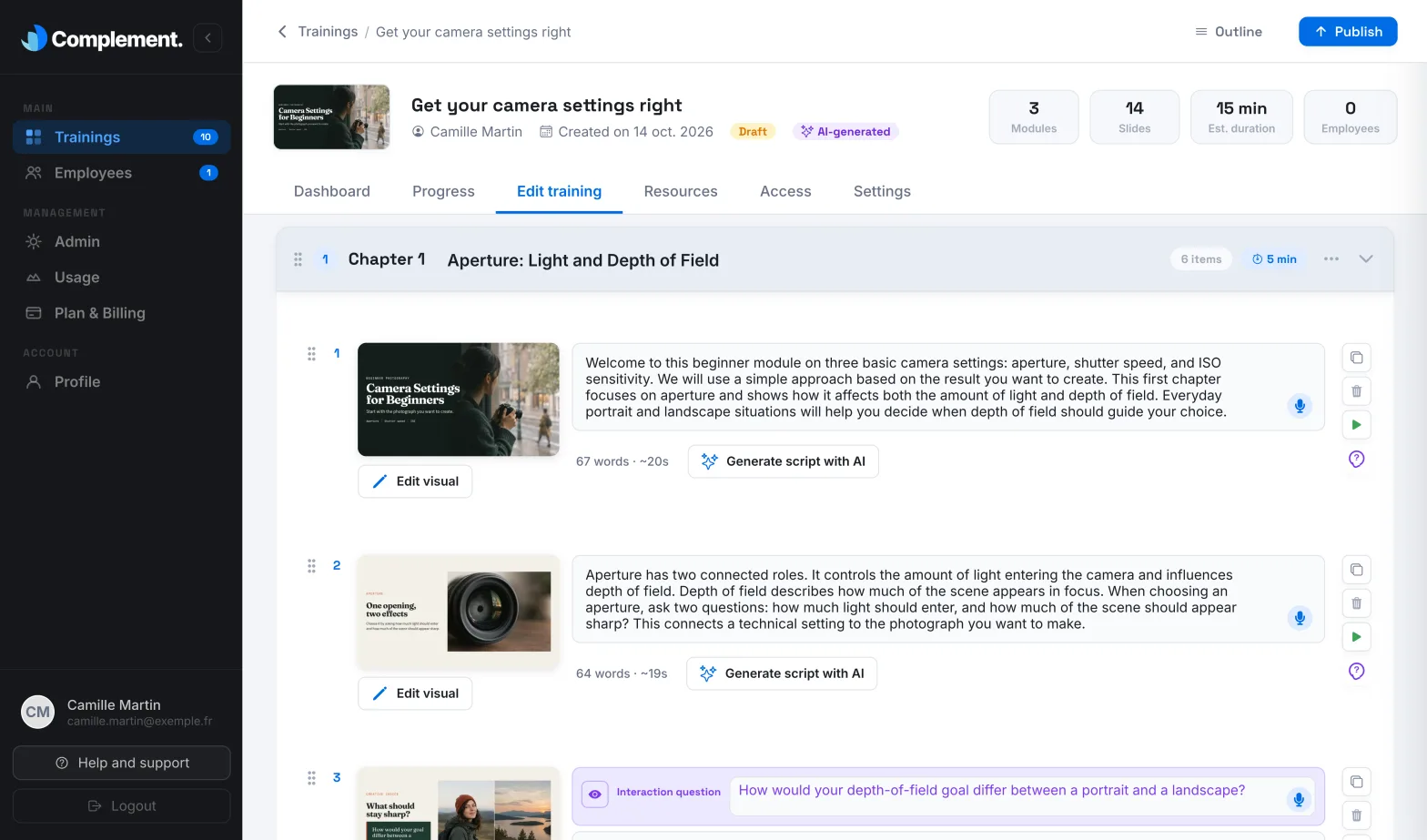
Until a course is published, the course creator works on a draft that learners cannot see. Publishing makes the new version visible to the learners who have access to the course.
To create a course, the course creator can start from their documents with AI generation (in Beta), import a PDF or images where each page becomes a slide, or start with an empty chapter. Courses are taken in Complement, either directly or from your organisation's LMS through LTI 1.3. Complement does not export to SCORM or xAPI.
Three profiles#
| Profile | What they do | Roles in the app |
|---|---|---|
| Learner | Takes the courses assigned to them, talks with the avatar, answers quizzes and tracks their progress. | Learner |
| Course creator | Creates courses, tests them, publishes them and tracks the results. | Administrator, Content manager, Trainer |
| Administrator | Manages the platform: teaching team, learners and teams, usage, subscription, connection to an LMS. | Administrator |
A fourth role, Guest, can view the courses they have access to, without being able to edit them. The rights of each role are detailed in Roles and permissions.
Where to start#
- You are new to Complement: Create your platform, then The Getting started checklist.
- You design courses: Create a course.
- You give access to your courses: Give access to a course.
- You manage learners: Add a learner.
- You track results: The course dashboard.
- You are a learner: First sign-in and Follow a session.
- You administer the platform: Manage the teaching team.
Was this article helpful?
Thank you for your feedback!
Thank you. Tell us what is missing through Help and support in the app, and we will complete the article.