

Move learners to another team
Move one or more learners to another team and decide, with Keep history, whether they keep the courses of their former team.
In Manage your learners
Moving a learner to another team changes their courses: they get access to those of their new team. The Keep history option decides whether they also keep those of their former team.
Before you start#
- Administrators, Content managers and Trainers can move learners. Guests cannot.
- A learner whose account was created by your LMS cannot be moved from Complement. See LMS: courses, groups and grades.
Move a learner#
- Open Employees › Learners.
- Open the actions menu at the end of the learner's row.
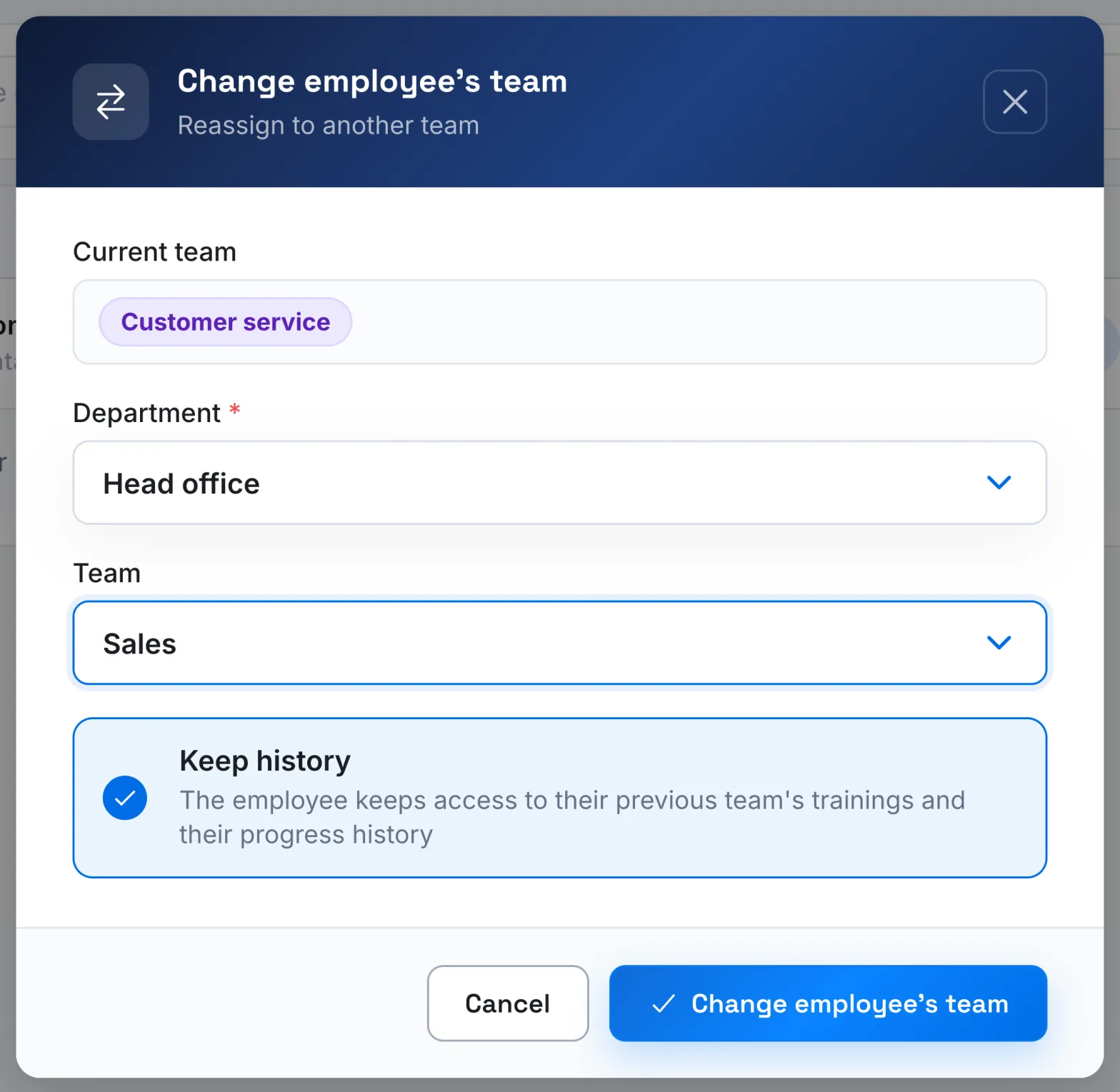
- Choose Change employee's team.
- The window shows their Current team. Choose the Department, then the new Team.
- Leave Keep history ticked, or untick it.
- Click the Change employee's team button.
Move several learners#
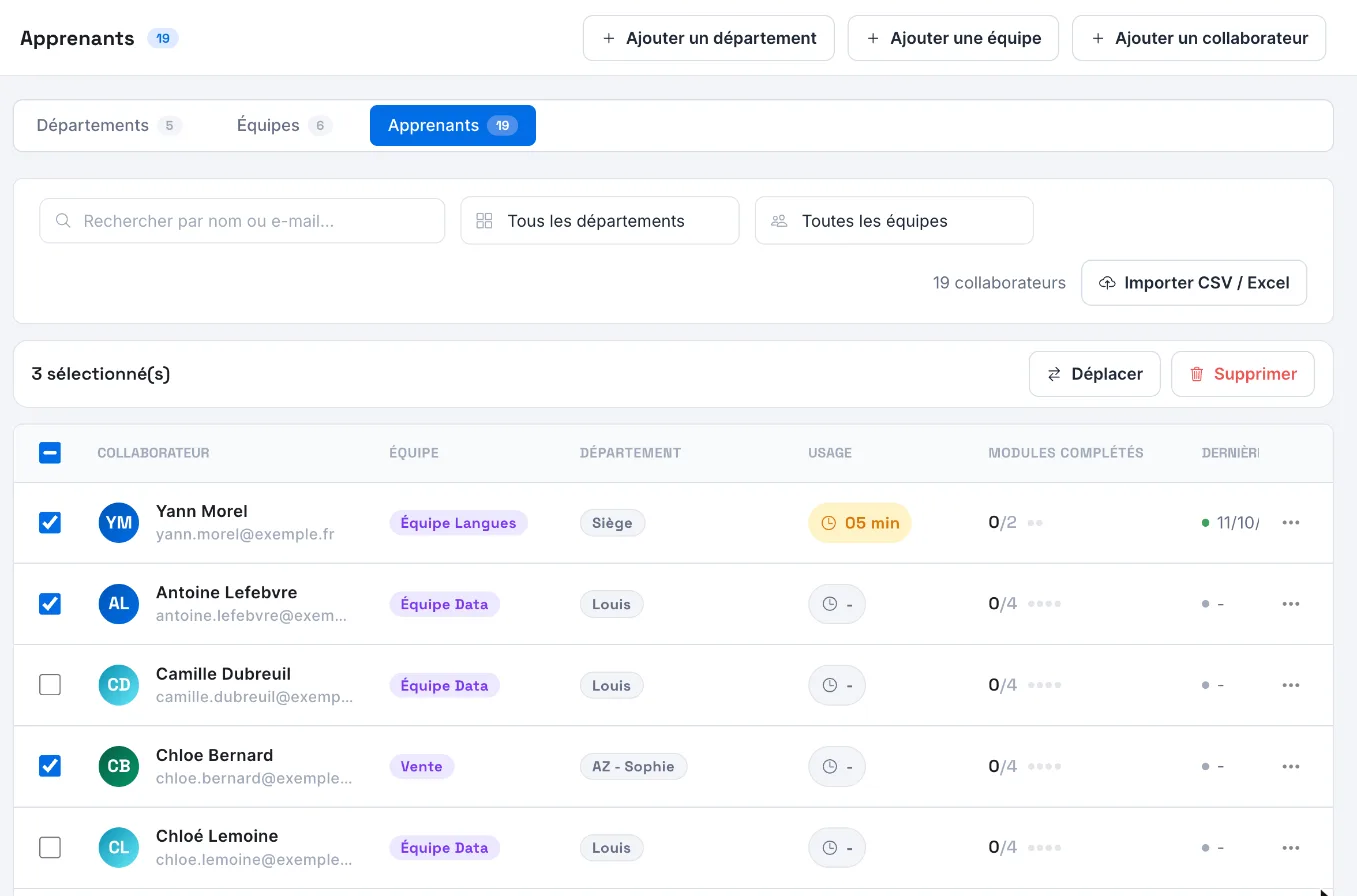
- In Learners, tick the learners to move. The box in the header selects all those on the page.
- In the bar that appears, click Move.
- In Move employees, choose the destination and set Keep history, then confirm.
If some learners could not be moved, the app tells you and keeps them selected: you can try again. The Move button stays greyed out if the selection contains an account created by your LMS.
Keep history: what changes#
The option is ticked by default. The app describes it as follows: "The employee keeps access to their previous team's trainings and their progress history".
| Option ticked | Option unticked | |
|---|---|---|
| Courses of the new team | Accessible | Accessible |
| Courses of the former team | Still accessible, in Past trainings, on their My trainings page | No longer accessible, unless the new team also has access to them |
In both cases, their progress on a course that their new team also offers is kept.
Was this article helpful?
Thank you for your feedback!
Thank you. Tell us what is missing through Help and support in the app, and we will complete the article.