

Understand XP, badges and the leaderboard
Earn XP, build combos, unlock badges and follow the leaderboard, when gamification is turned on for your organisation.
In Take a course
Gamification adds experience points (XP), levels, badges and a leaderboard to your courses. It only appears if it is turned on for your organisation.
Earn XP#
You earn XP when you:
- ask the avatar a question;
- answer an interaction question or a survey;
- finish a chapter quiz, and more if you pass it;
- pass a course;
- unlock a badge.
During a session, each gain appears for a few moments, for example "+2 XP". Your level and your XP bar appear under your name, at the top right of the player.
Combos#
Each correct answer to a quiz question extends your streak. From the second correct answer in a row, the player shows the current combo, for example "Combo x3". Each correct answer in the streak earns an XP bonus, which grows with the streak up to a limit. A wrong answer resets the streak to zero.
Levels#
Your total XP raises your level. A bar shows the XP already earned in your current level and the XP needed to reach the next one. Each level needs a little more XP than the one before.
Badges#
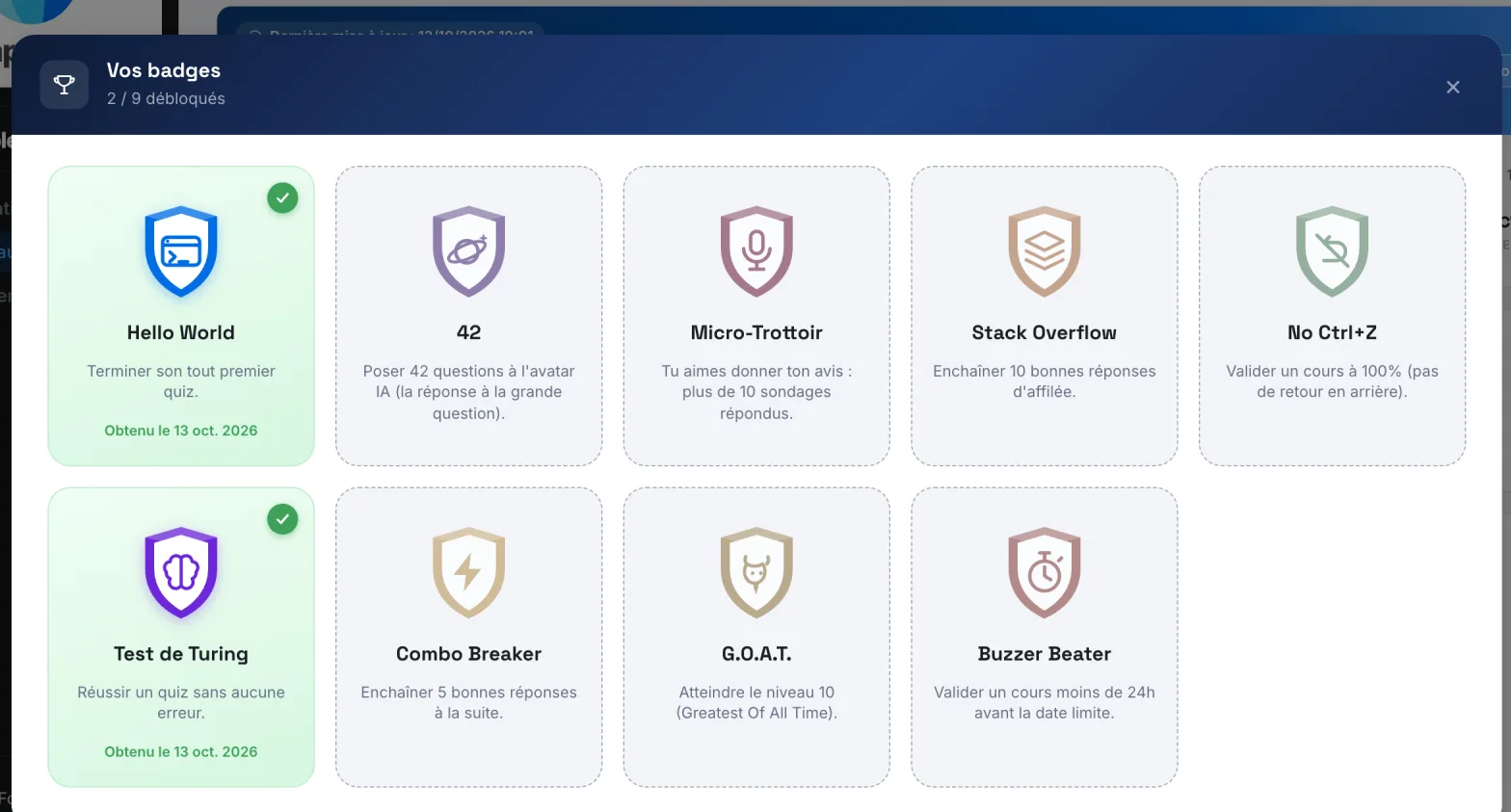
Badges reward milestones in your learning: your first quiz finished, your questions to the avatar, your survey answers, your streaks of correct answers, a quiz with no mistakes, a course passed, a level reached… Some badges are secret: they only appear once you have unlocked them.
When you unlock a badge, a "Congratulations!" window shows its name and its condition. Each badge also earns you XP.
To see all your badges:
- Open your Dashboard.
- Click See all, next to your badges.
The Your badges window shows how many you have unlocked, the condition for each one and the date you earned it.
The leaderboard#
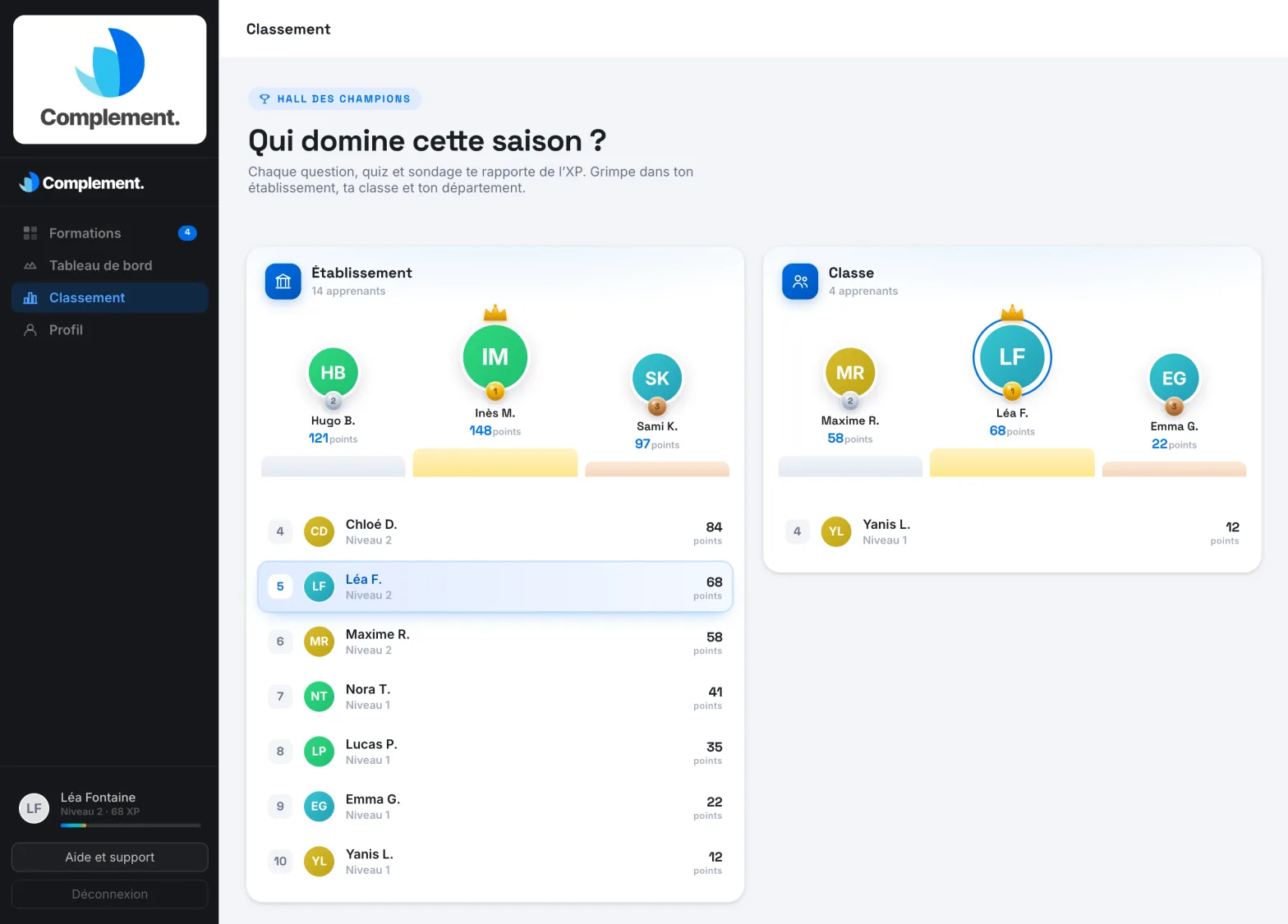
Click Leaderboard in the menu. Learners are ranked by their points, within several scopes:
- Establishment: all the learners in your organisation;
- Department: the learners in your department, if your organisation uses departments;
- Class: the learners in your team.
Each leaderboard shows the podium and the top-ranked learners. If you are not among them, your own position appears below.
The other learners in the same scope see your first name, the initial of your surname, your profile photo, your level and your points.
Was this article helpful?
Thank you for your feedback!
Thank you. Tell us what is missing through Help and support in the app, and we will complete the article.