

Why is your platform read-only?
Trial ended, credit used up, late payment or expired contract: why the platform becomes read-only and how to restore access.
In Administer your platform
- Customise your organisation
- Manage the teaching team
- Track usage
- Activate your platform
- Manage your subscription
- View your enterprise contract
- Why is your platform read-only?
- Understand your administrator alerts and emails
- Enable SSO sign-in with Google or Microsoft
- White-label your platform
- Which options should you ask your Complement account manager for?
- Connect your LMS with LTI 1.3
- LMS: add courses, manage groups and grades
- Data security and privacy
When your trial, your credit or your contract comes to an end, or a payment fails, your platform becomes read-only. Nothing is deleted: your courses, your learners and their results are kept.
What each person sees#
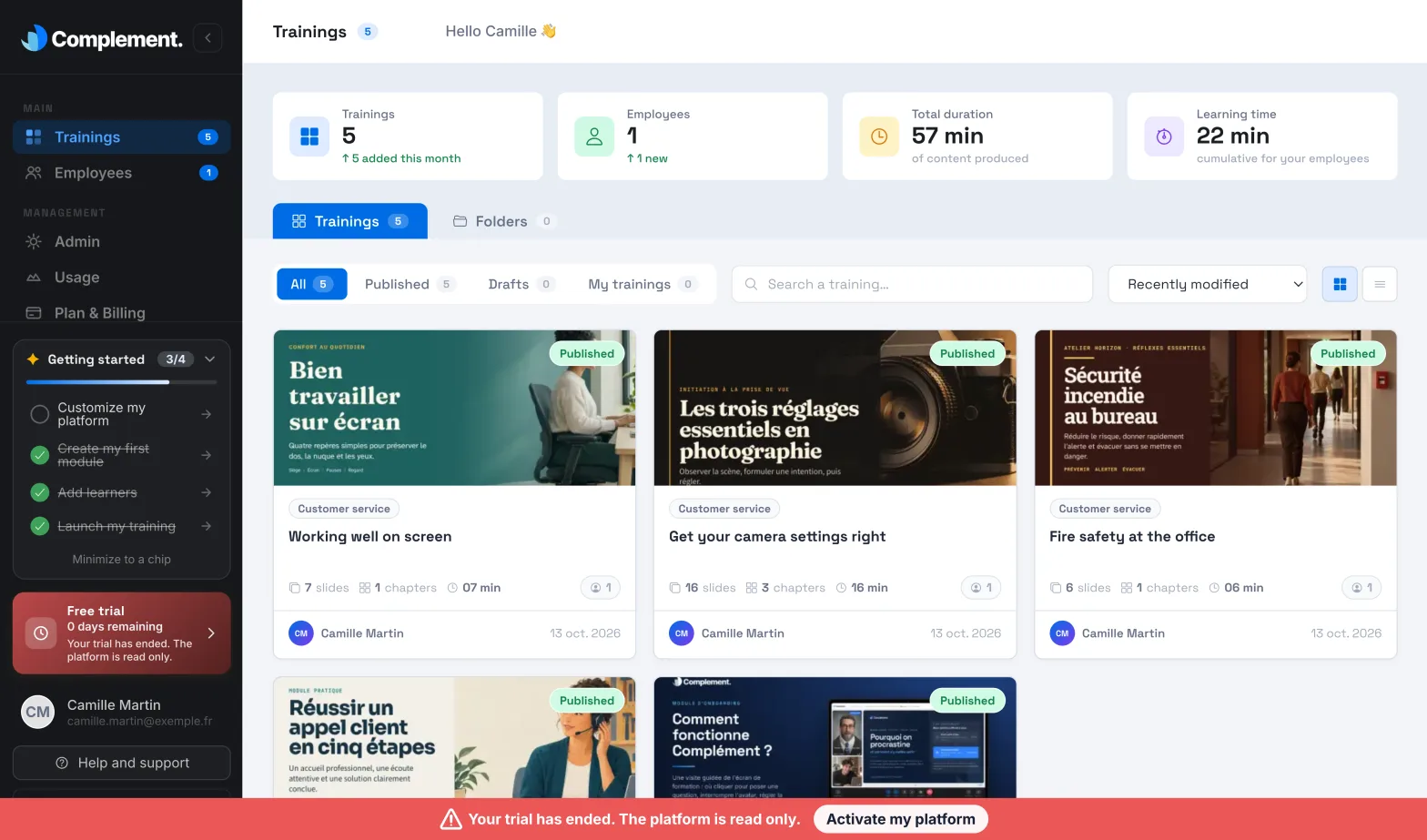
- Administrators see a banner at the bottom of the screen showing the reason. Everything can still be viewed, but nothing can be changed any more: courses, learners, organisation. Course preview is turned off. Plan & Billing remains available so you can resolve the situation.
- Content managers, Trainers and Guests see the banner "The platform is read only. Contact the account owner." They can view content without changing anything, and must contact an Administrator.
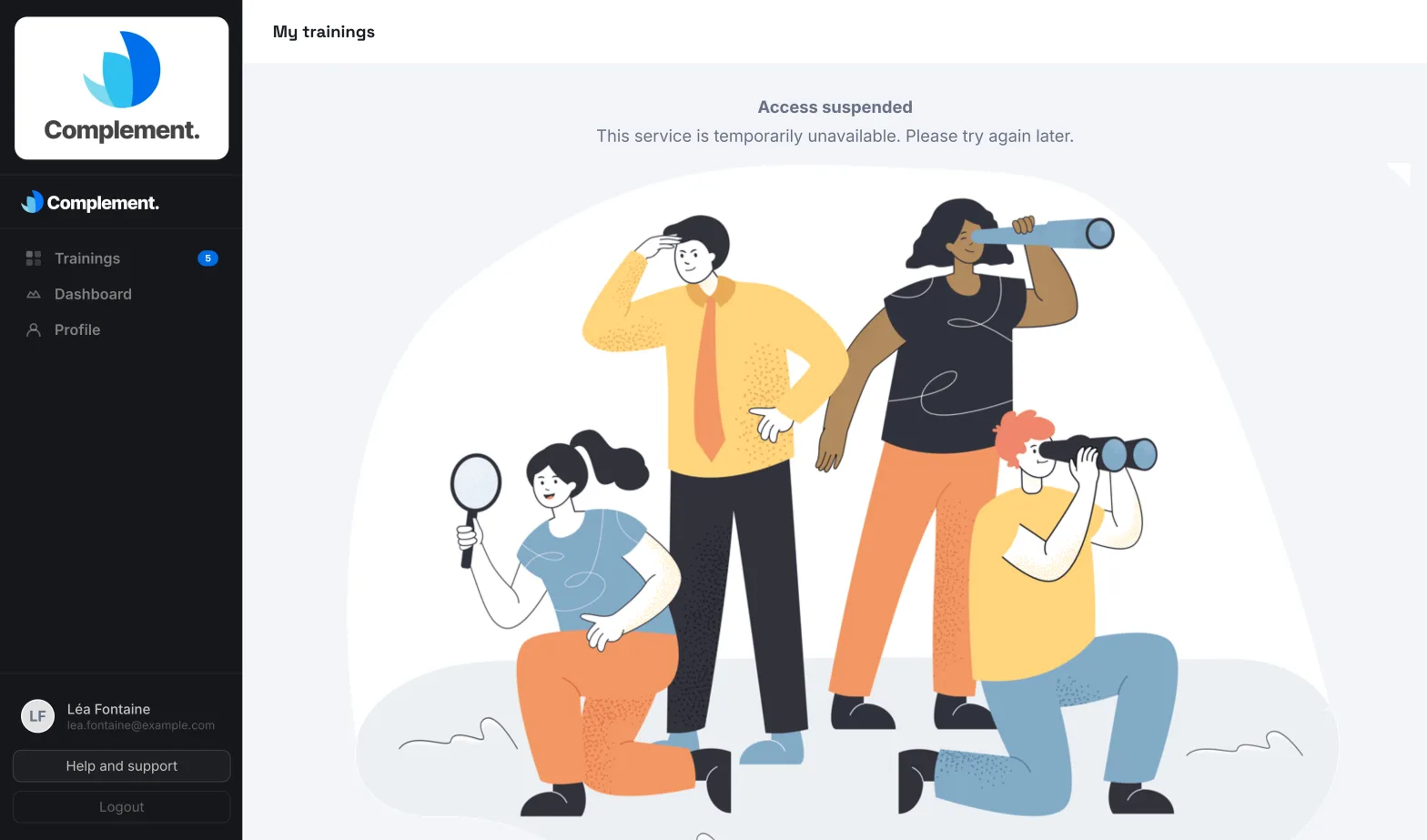
- Learners can no longer take their courses. They see the Access suspended page: "This service is temporarily unavailable. Please try again later."
The reasons and how to restore access#
| Reason | Banner message | To restore access |
|---|---|---|
| Trial ended | "Your trial has ended. The platform is read only." | Activate your platform. |
| Trial hours used up | "Your trial usage is exhausted. The platform is read only." | Activate your platform. |
| Credit used up | "Your credit balance is exhausted. The platform is read only." | Add credit in Plan & Billing. |
| Late payment | "Your subscription payment is overdue. The platform is read only." | Update your payment method with Manage my subscription and invoices. |
| Subscription cancelled | "Your subscription is canceled. The platform is read only." | Subscribe again with Activate my platform, in Plan & Billing. |
| Enterprise contract ended | "Your managed licence has expired. The platform is read only." | Contact your Complement account manager. |
| Blocked by Complement | "Your platform has been placed in read-only mode." | Contact your account manager, or Complement using the Help and support form. |
When the trial has ended, the banner's Activate my platform button opens the activation directly. For the other reasons, the same button takes you to Plan & Billing.
Each procedure is explained in detail in:
- Activate your platform, for the trial and a cancelled subscription;
- Manage your subscription, for credit and the payment method;
- View your enterprise contract, for an enterprise plan.
When access returns#
Access returns as soon as the cause is resolved: payment confirmed by Stripe, credit added, contract extended or block lifted by Complement. A payment confirmed in Stripe may take a few moments to be taken into account: Plan & Billing then shows Payment confirmation in progress.
Your learners have nothing to do: their page updates by itself and they get their courses back shortly afterwards.
Was this article helpful?
Thank you for your feedback!
Thank you. Tell us what is missing through Help and support in the app, and we will complete the article.